
i18n-LE
Identify the i18n library a project uses, then audit its catalogs by that library's rules
The command-line tool and its MCP server are written and tested. The VS Code extension is not written yet, so there is nothing to install from the Marketplace or Open VSX — those links appear here when it ships rather than before.
No editor in the loop? i18n-le mcp runs the same engine as an MCP server, so an agent can call check_catalogues over stdio, with no editor and no Node, and cargo install i18n-le puts the same check in a terminal. Every way to install it.
What i18n-LE does
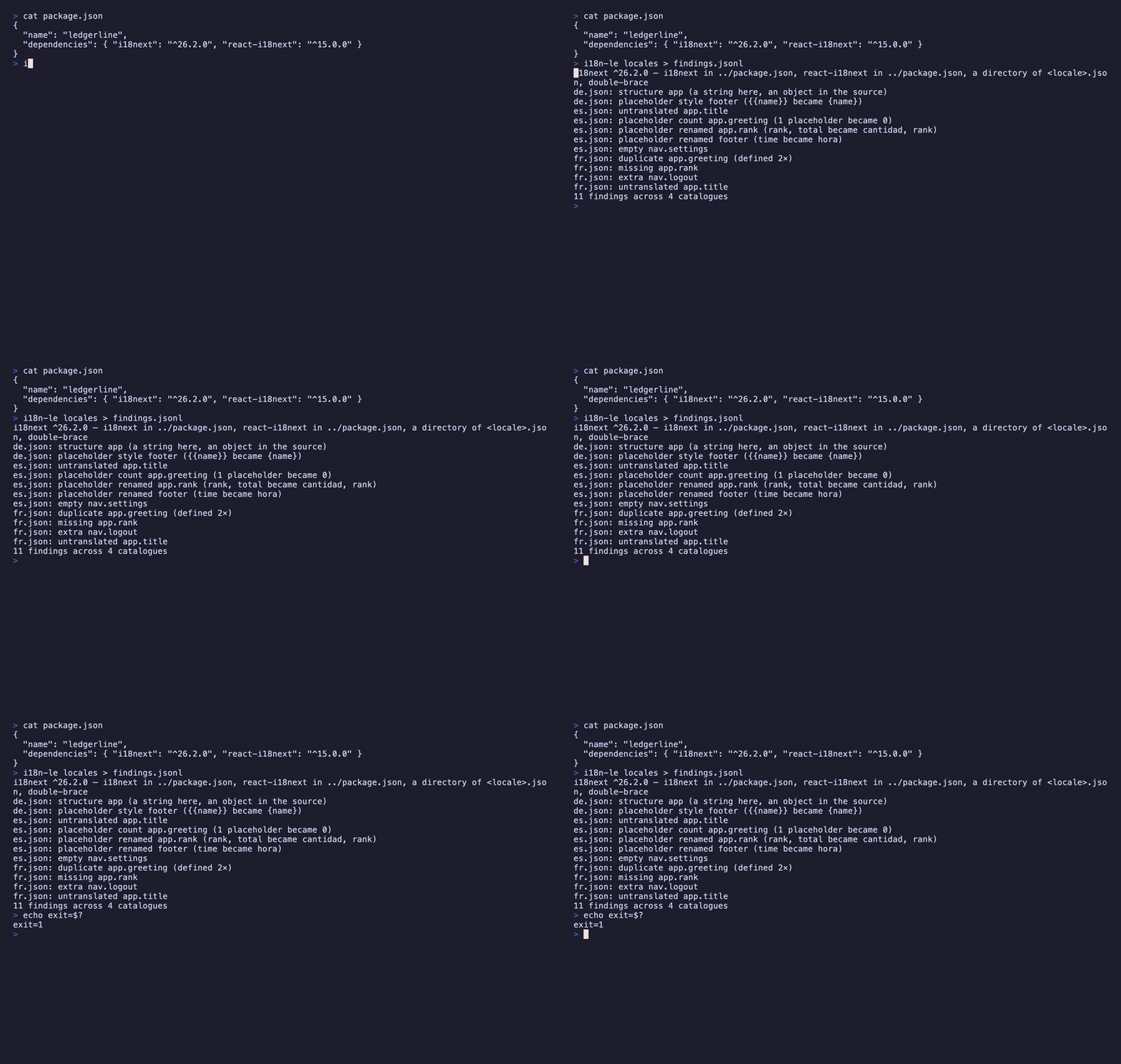
Spanish shipped last week and the metrics screen has been saying a Spanish-looking placeholder name to every user since: the catalogue had every key, it parsed, and the placeholder came back from machine translation with its name translated too. i18n-LE audits a set of catalogues against one of them and reports what is structurally wrong — keys missing or extra, placeholders dropped or renamed, constructs from the wrong convention, empty values, keys defined twice, and a path that is an object in one locale and a string in another. It works out which library the project uses first, from the manifest, the config, the directory layout, the catalogue syntax and the call sites, because the library is what decides the placeholder grammar. Only key names and structural facts are reported: no translated value ever reaches the output.
What people use it for
Catch a renamed placeholder
Same count, different names — the failure that compiles perfectly and renders the literal to every user of that locale.
See the one real break
A path that became a string reads as forty missing keys to a flatten-and-compare test, and as one finding here.
Audit copy you cannot read
Findings are proved by tokens, counts and byte offsets, so a vendor’s catalogue can be checked without seeing its prose.
Install i18n-LE
Command lineComing soon
cargo install i18n-leNot on crates.io yet — v0.3.4 builds from the repository today, and this command starts working the day it publishes. Follow the repository.
VS CodeComing soon
ext install nolindnaidoo.i18n-leThe extension is not written yet, so this id resolves to nothing on the Marketplace. It is the id it will take. Follow the repository.
Cursor / VSCodiumComing soon
cursor --install-extension OffensiveEdge.i18n-leSame again for the forks, which resolve Open VSX rather than the Marketplace. Follow the repository.
Zed
i18n-le mcpWorks in Zed today — add the command above as a custom MCP server from the agent panel, and check_catalogues appears in its tool list. There is no one-click listing in Zed's extension registry yet.
AI agents
i18n-le mcpRuns i18n-LE's engine as an MCP server over stdio, so an agent can call check_catalogues with no editor and no Node. The binary is the server — there is nothing else to install.
Where it ships
One engine, 6 places to get it. The ids differ by registry — copy the one for the editor you use.
VS Code Marketplace
VS Code itselfnolindnaidoo.i18n-leOpenthe extension is not written yet — this links the sourceOpen VSX
Cursor, Windsurf, VSCodium and the other forksOffensiveEdge/i18n-leOpenthe extension is not written yet — this links the sourceMCP server
the same engine, callable by an agent with no editor in the loopi18n-le mcpOpenshipped by the binary, not by npm — no package to link yetZed
as a custom MCP server todayi18n-le mcpOpenno listing yet — this links Zed’s instructions for adding it by hand
Where i18n-LE lives
- GitHubsource, issues, changelog
- MCP registryio.github.nolindnaidoo/i18n-le
The other 15

Extract every string in a codebase, with its position, so a person can read them

Extract every hardcoded number in a codebase, so a person can check them

Extract every file path in a codebase, and say whether it still points at anything

Extract every color in a codebase, and say which ones are not in your palette

Extract every URL in a codebase, with its protocol and exact position

Extract every date and timestamp, and the exact instant each one resolves to

Extract every quantity with its unit, normalized, and refuse the ambiguous ones by name

Extract every UUID, ULID, NanoID, ObjectId and Snowflake, and decode the time inside

Extract every IP address, CIDR block and MAC, normalized and classified by scope

Find every regex in a codebase, and report which can be driven into catastrophic backtracking

Check whether a page is scrapeable before the scraper is written, and say when it cannot tell

Find where one dependency is constrained differently across a repository's manifests

Find hardcoded credentials in a codebase, and never print one into the report

Compare the dotenv files in a tree, and say which keys are missing from which

Find the Unicode that hides meaning — bidi controls, invisibles, homoglyphs, mixed scripts