
Units-LE
Extract every quantity with its unit, normalized, and refuse the ambiguous ones by name
The command-line tool and its MCP server are written and tested. The VS Code extension is not written yet, so there is nothing to install from the Marketplace or Open VSX — those links appear here when it ships rather than before.
No editor in the loop? units-le mcp runs the same engine as an MCP server, so an agent can call extract_units over stdio, with no editor and no Node, and cargo install units-le puts the same check in a terminal. Every way to install it.
What Units-LE does
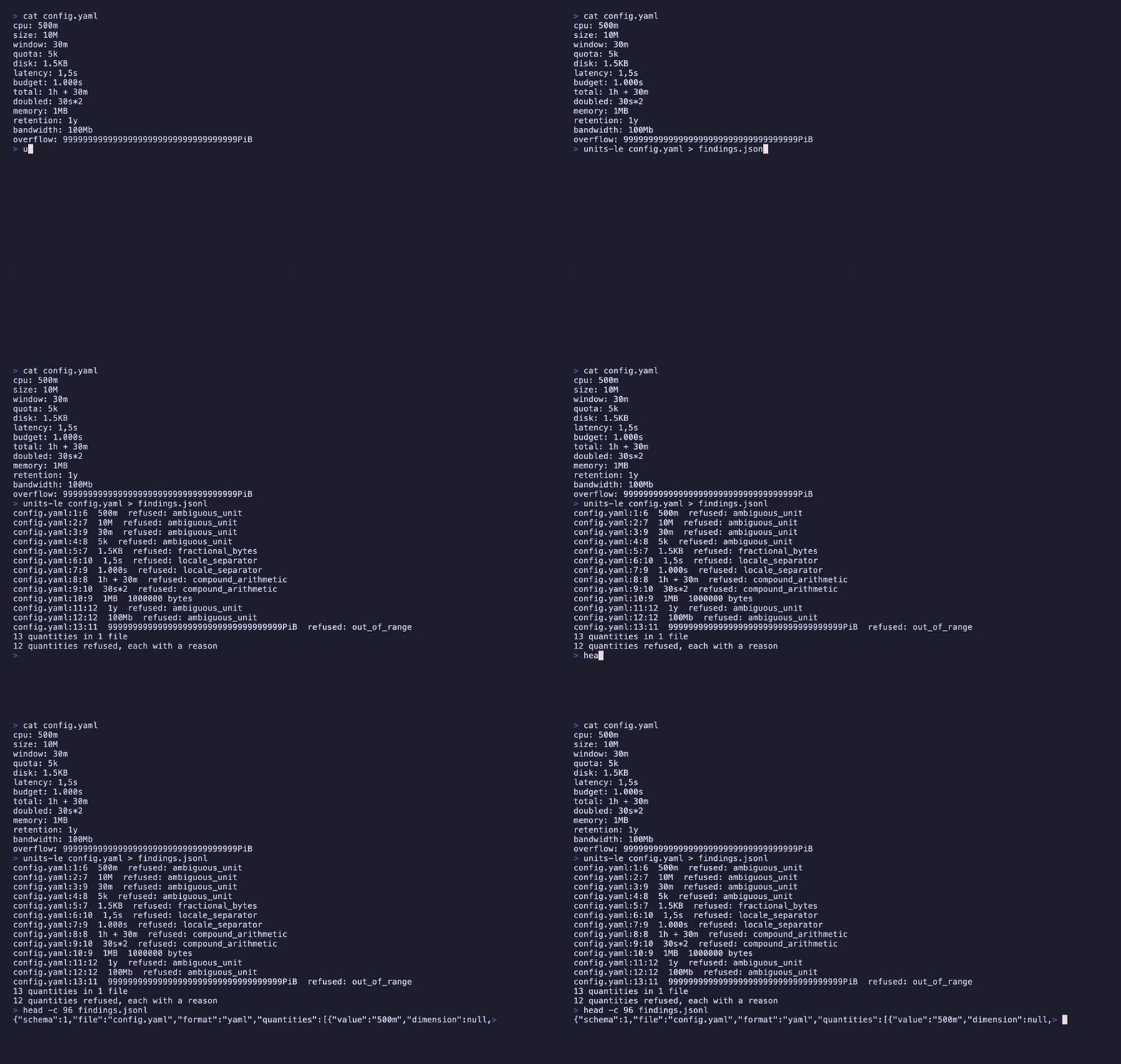
A number without its unit is not something you can compare. Units-LE finds every quantity in a tree and reports it twice: the text the document actually holds, and that value in one base unit. Four dimensions — duration in milliseconds, bytes, percent as a ratio, frequency in hertz. JSON, YAML, CSV, TOML, INI and dotenv are parsed; everything else is scanned as text, so a Kubernetes manifest or a Markdown table of limits yields its quantities rather than nothing. What it will not do is guess: a bare m is minutes in one config format, milliseconds in another and millicores in Kubernetes, so it comes back refused by name rather than resolved.
What people use it for
Reconcile two services
A timeout of 30s in one file and 30000 in another are the same number of milliseconds, and nothing about the text says so.
Catch the 7% nobody sees
1GB and 1GiB look identical at a glance and differ by seventy-three million bytes. The base value is where that shows.
Stop a build on an ambiguity
Strict mode exits non-zero if any quantity was refused, so a cpu value of 500m fails review instead of being guessed at.
Install Units-LE
Command lineComing soon
cargo install units-leNot on crates.io yet — v0.2.0 builds from the repository today, and this command starts working the day it publishes. Follow the repository.
VS CodeComing soon
ext install nolindnaidoo.units-leThe extension is not written yet, so this id resolves to nothing on the Marketplace. It is the id it will take. Follow the repository.
Cursor / VSCodiumComing soon
cursor --install-extension OffensiveEdge.units-leSame again for the forks, which resolve Open VSX rather than the Marketplace. Follow the repository.
Zed
units-le mcpWorks in Zed today — add the command above as a custom MCP server from the agent panel, and extract_units appears in its tool list. There is no one-click listing in Zed's extension registry yet.
AI agents
units-le mcpRuns Units-LE's engine as an MCP server over stdio, so an agent can call extract_units with no editor and no Node. The binary is the server — there is nothing else to install.
Where it ships
One engine, 6 places to get it. The ids differ by registry — copy the one for the editor you use.
VS Code Marketplace
VS Code itselfnolindnaidoo.units-leOpenthe extension is not written yet — this links the sourceOpen VSX
Cursor, Windsurf, VSCodium and the other forksOffensiveEdge/units-leOpenthe extension is not written yet — this links the sourceMCP server
the same engine, callable by an agent with no editor in the loopunits-le mcpOpenshipped by the binary, not by npm — no package to link yetZed
as a custom MCP server todayunits-le mcpOpenno listing yet — this links Zed’s instructions for adding it by hand
Where Units-LE lives
- GitHubsource, issues, changelog
- MCP registryio.github.nolindnaidoo/units-le
The other 15

Extract every string in a codebase, with its position, so a person can read them

Extract every hardcoded number in a codebase, so a person can check them

Extract every file path in a codebase, and say whether it still points at anything

Extract every color in a codebase, and say which ones are not in your palette

Extract every URL in a codebase, with its protocol and exact position

Extract every date and timestamp, and the exact instant each one resolves to

Extract every UUID, ULID, NanoID, ObjectId and Snowflake, and decode the time inside

Extract every IP address, CIDR block and MAC, normalized and classified by scope

Find every regex in a codebase, and report which can be driven into catastrophic backtracking

Check whether a page is scrapeable before the scraper is written, and say when it cannot tell

Find where one dependency is constrained differently across a repository's manifests

Identify the i18n library a project uses, then audit its catalogs by that library's rules

Find hardcoded credentials in a codebase, and never print one into the report

Compare the dotenv files in a tree, and say which keys are missing from which

Find the Unicode that hides meaning — bidi controls, invisibles, homoglyphs, mixed scripts