
IPs-LE
Extract every IP address, CIDR block and MAC, normalized and classified by scope
The command-line tool and its MCP server are written and tested. The VS Code extension is not written yet, so there is nothing to install from the Marketplace or Open VSX — those links appear here when it ships rather than before.
No editor in the loop? ips-le mcp runs the same engine as an MCP server, so an agent can call extract_ips over stdio, with no editor and no Node, and cargo install ips-le puts the same check in a terminal. Every way to install it.
What IPs-LE does
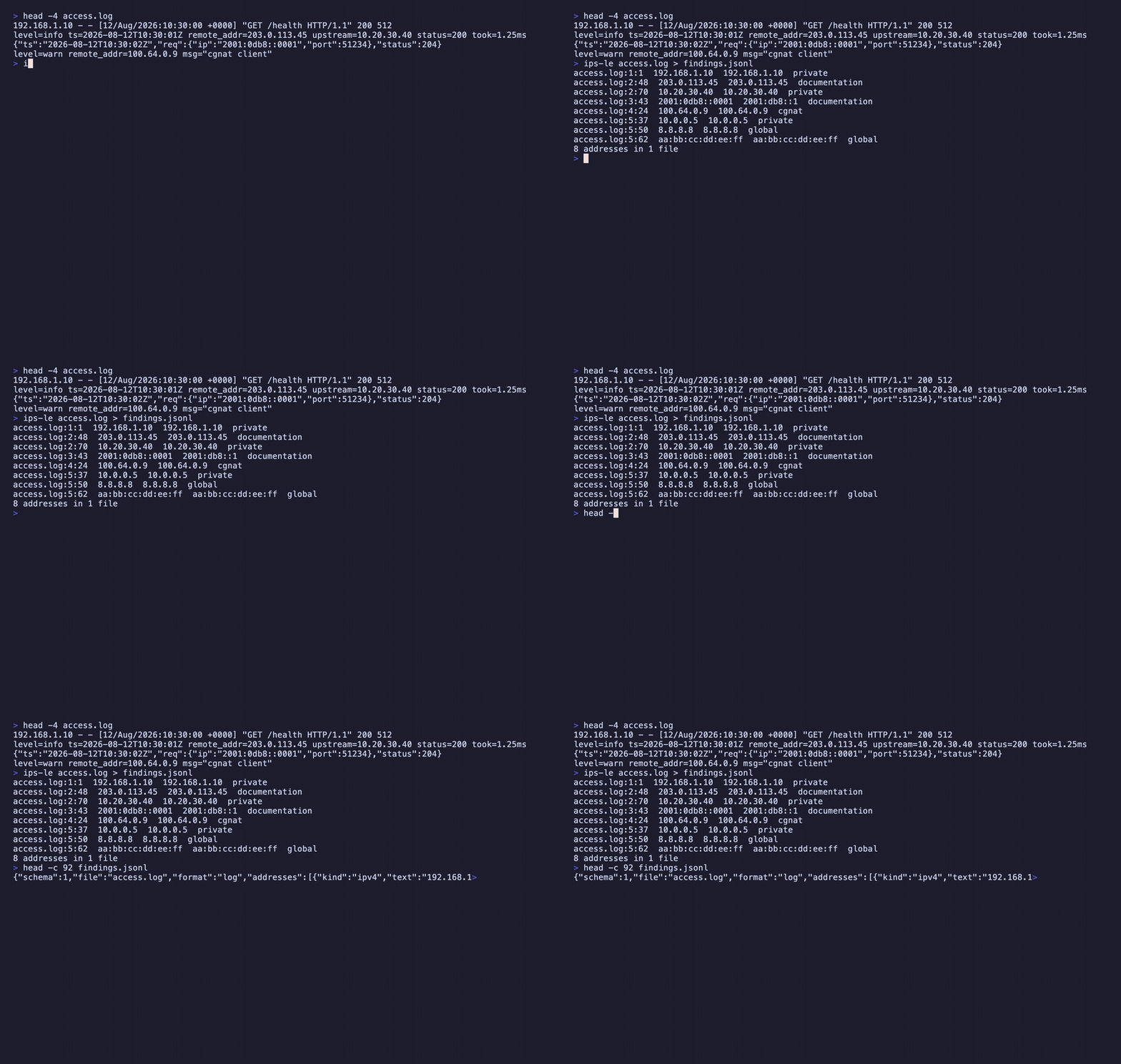
A regex over dotted quads finds no IPv6 at all, calls 1.2.3 an address, and reports 2001:0db8::0001 and 2001:db8::1 as two different things when they are one. IPs-LE finds every IP address, CIDR block and MAC address in a tree, normalizes IPv6 per RFC 5952, and says what each one is: loopback, private, link-local, cgnat, multicast, broadcast, reserved, documentation, unique-local or global. The scan runs over the bytes of every file, so an address inside a connection string or a rotated log is found too. It never resolves a name, never geolocates and never opens a socket.
What people use it for
Audit an allow-list
Filter to private and loopback and see what a config makes reachable that the change request never mentioned.
Surface an SSRF bypass
A leading-zero octet is octal to some resolvers and decimal to others, so 010.1.1.1 is refused by name rather than resolved to either.
Make a diff stop lying
Four spellings of one IPv6 address sort as four entries in raw text and as one after normalization.
Install IPs-LE
Command lineComing soon
cargo install ips-leNot on crates.io yet — v0.2.1 builds from the repository today, and this command starts working the day it publishes. Follow the repository.
VS CodeComing soon
ext install nolindnaidoo.ips-leThe extension is not written yet, so this id resolves to nothing on the Marketplace. It is the id it will take. Follow the repository.
Cursor / VSCodiumComing soon
cursor --install-extension OffensiveEdge.ips-leSame again for the forks, which resolve Open VSX rather than the Marketplace. Follow the repository.
Zed
ips-le mcpWorks in Zed today — add the command above as a custom MCP server from the agent panel, and extract_ips appears in its tool list. There is no one-click listing in Zed's extension registry yet.
AI agents
ips-le mcpRuns IPs-LE's engine as an MCP server over stdio, so an agent can call extract_ips with no editor and no Node. The binary is the server — there is nothing else to install.
Where it ships
One engine, 6 places to get it. The ids differ by registry — copy the one for the editor you use.
VS Code Marketplace
VS Code itselfnolindnaidoo.ips-leOpenthe extension is not written yet — this links the sourceOpen VSX
Cursor, Windsurf, VSCodium and the other forksOffensiveEdge/ips-leOpenthe extension is not written yet — this links the sourceMCP server
the same engine, callable by an agent with no editor in the loopips-le mcpOpenshipped by the binary, not by npm — no package to link yetZed
as a custom MCP server todayips-le mcpOpenno listing yet — this links Zed’s instructions for adding it by hand
Where IPs-LE lives
- GitHubsource, issues, changelog
- MCP registryio.github.nolindnaidoo/ips-le
The other 15

Extract every string in a codebase, with its position, so a person can read them

Extract every hardcoded number in a codebase, so a person can check them

Extract every file path in a codebase, and say whether it still points at anything

Extract every color in a codebase, and say which ones are not in your palette

Extract every URL in a codebase, with its protocol and exact position

Extract every date and timestamp, and the exact instant each one resolves to

Extract every quantity with its unit, normalized, and refuse the ambiguous ones by name

Extract every UUID, ULID, NanoID, ObjectId and Snowflake, and decode the time inside

Find every regex in a codebase, and report which can be driven into catastrophic backtracking

Check whether a page is scrapeable before the scraper is written, and say when it cannot tell

Find where one dependency is constrained differently across a repository's manifests

Identify the i18n library a project uses, then audit its catalogs by that library's rules

Find hardcoded credentials in a codebase, and never print one into the report

Compare the dotenv files in a tree, and say which keys are missing from which

Find the Unicode that hides meaning — bidi controls, invisibles, homoglyphs, mixed scripts